Open any 3D model. Measure it like CAD.
Mirari opens STL, OBJ, 3MF and GLB files in seconds, and STEP / IGES with Pro, then lets you measure the real geometry: hole diameters, spacing, gaps and angles. All on your phone, offline.
- .stl
- .obj + .mtl
- .3mf
- .glb / .gltf
- .step / .stp
- .iges / .igs
Straight from the slicer, the CAD tool or the asset store
Open files from your phone, cloud drives, downloads and email attachments. Share a model with its materials and textures together and Mirari puts them back on.
| Format | Files | What Mirari reads |
|---|---|---|
| STL | .stl | Binary and ASCII. Multi-million-triangle prints stay smooth. |
| OBJ | .obj .mtl | Materials and textures from the .mtl and the images you pick with it. |
| 3MF | .3mf | Colors and multi-part build plates from your slicer. |
| glTF | .glb .gltf | Textures and the full node hierarchy. |
| STEPPRO | .step .stp | Colors, names and assemblies from SolidWorks, Fusion, Onshape and FreeCAD, with the exact geometry kept for measuring. |
| IGESPRO | .iges .igs | Surfaces and solids from older CAD and CAM tools. |
Built for checking parts, not just looking at them
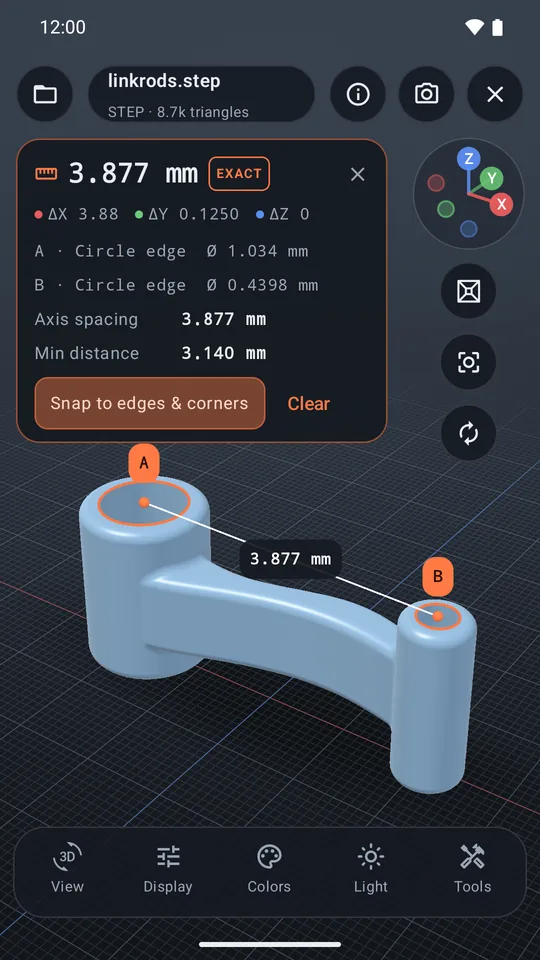
Exact measurements from the CAD geometry
On STEP and IGES files Mirari measures the B-rep surfaces themselves, not the triangles drawn on screen. Tap a hole rim, a face or an edge and read its true dimensions; tap two and get how they relate.
- A · Circle edge
- Ø 1.034 mm
- B · Circle edge
- Ø 0.4398 mm
- Axis spacing
- 3.877 mm
- Min distance
- 3.140 mm
Print check before you slice
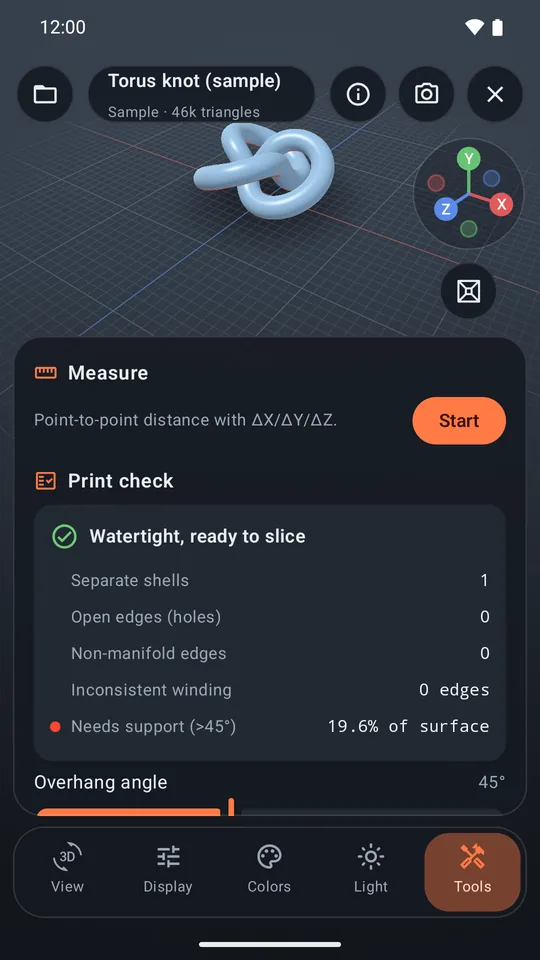
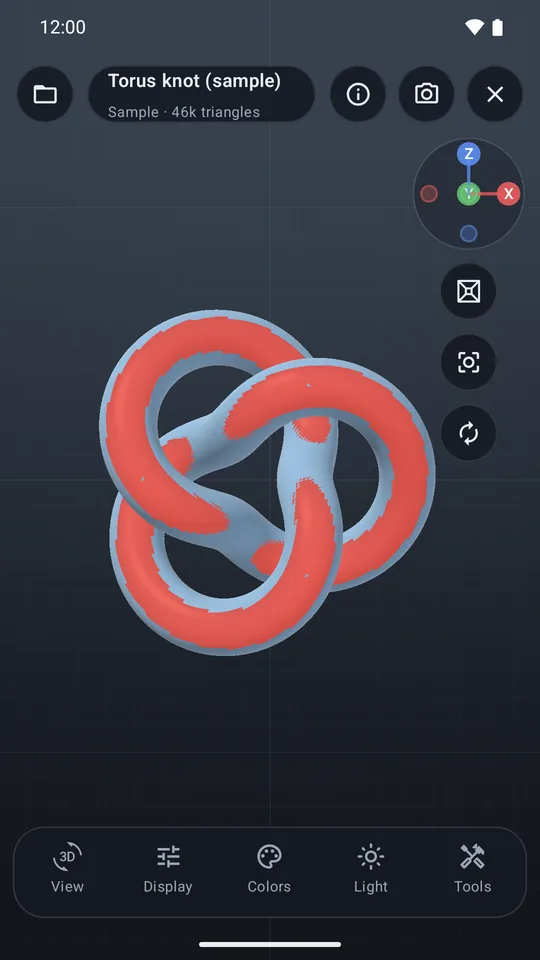
Find what breaks a print while the model is still on your phone.
- Holes, non-manifold edges and flipped faces, counted and highlighted
- Overhangs past your support angle, painted on the model
- A clear verdict: watertight and ready to slice, or what to fix
See the model the way you need to
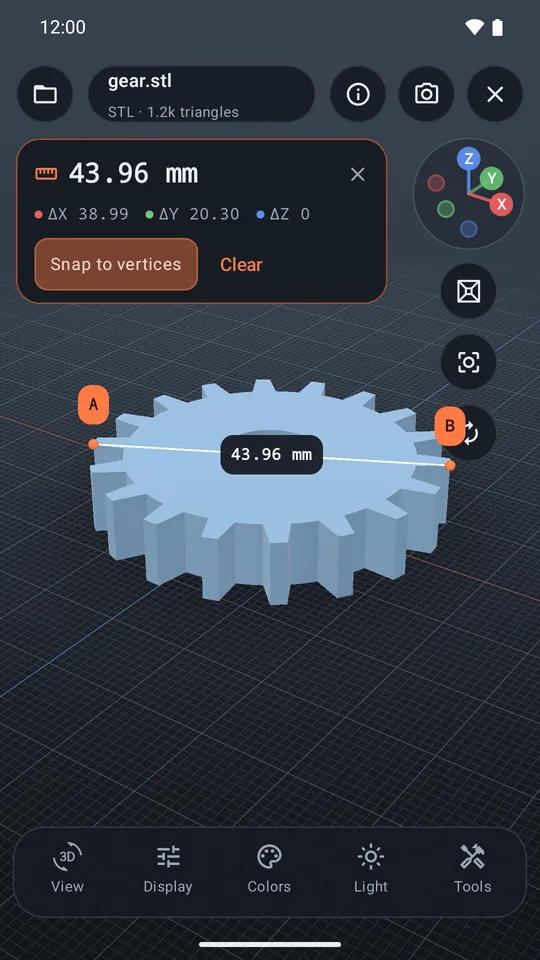
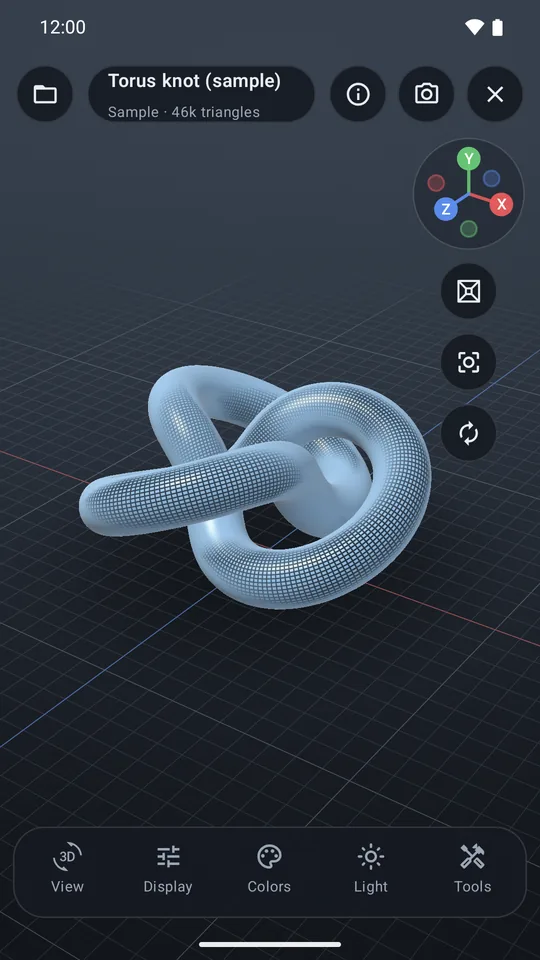
Orbit, pan and pinch with inertia. Snap to front, top, side or iso views, switch to orthographic, and turn the model 90° about any axis when a file comes in lying down.
- Shaded, wireframe, shaded + wire and vertex modes
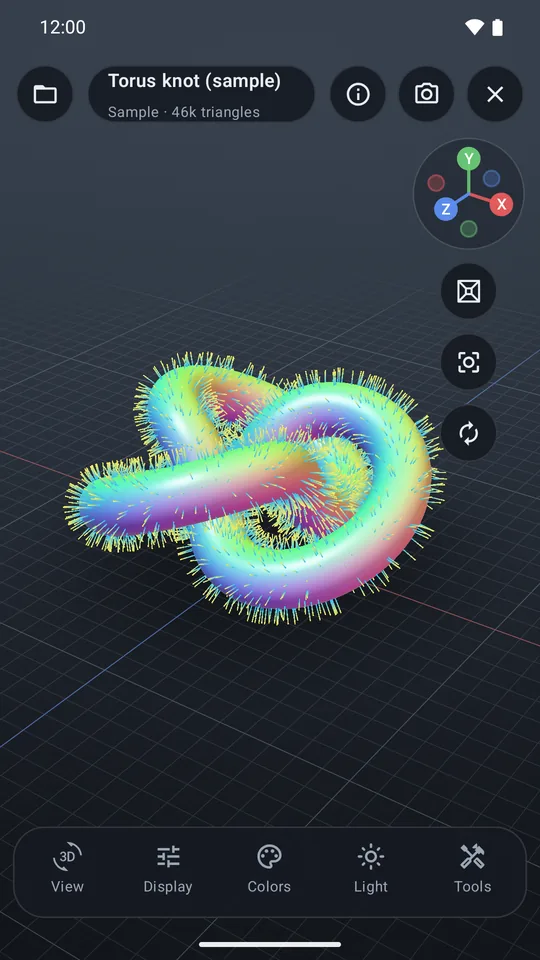
- Normals view and back-face highlighting to spot flipped triangles
- Show, hide or isolate bodies in multi-body parts and assemblies
- Section cuts, studio lighting and background presets
One purchase. Every tool. No subscription.
Viewing STL, OBJ, 3MF and GLB is free. Pro unlocks the tools below once, for good, and restores on your other Android devices.
STEP & IGES
Open CAD files from SolidWorks, Fusion, Onshape, FreeCAD and more.
Exact CAD measurements
True diameters, gaps, angles and edge lengths from the CAD geometry.
Measure
Tap two points for distances with ΔX / ΔY / ΔZ and vertex snapping.
Print check
Holes, non-manifold edges, flipped faces and overhangs.
Section cut
Slice through a model to inspect walls and internals.
Inspection views
Normals view and back-face highlighting.
Export
Save as STL, 3MF or OBJ.
Multiple models
Side by side, or overlaid to compare versions.
View in AR
Place the model on a real surface at true scale.
Clean HD screenshots
No watermark, up to 3× screen resolution.
Your models stay on your phone
Files are read and displayed on the device and never uploaded. There's nothing to sign up for and nothing tracking you. Read the privacy policy.
- No ads
- No tracking
- No account
- Works offline

Mirari: 3D & CAD Viewer
For Android 10 and newer.